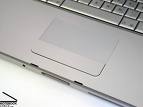
This could be your Trackpad
Very few people know that every synaptics trackpad supports multitouch and as long as your OS supports it you can always use multitouch to enhance your computers interface. Apple has patented several UI design elements ,hence has inhibited Windows and Linux to come out with similar UI elements like pinch and zoom, scroll etc.
If you are using Linux and want to setup multitouch then click here

You only need a patched driver to enable multitouch features in synaptics. Download the latest driver from here
Download links (for XP/Vista 32/64-bit):
http://www.sendspace.com/file/9n9c6i
http://mihd.net/42vtopk
This driver is made from an outdated driver of synaptics. So you may have to uninstall your existing driver.
- Go to Add-Remove Software.
- Find and uninstall synaptic driver
- Reboot
Extract the zip file(touchpad_synaptics_v10.2.4_vistax32x64_xpx32x64_modded_build2.zip) to a folder
Install selected driver.
This driver is not signed. Hence windows will issue a warning. Do not install this driver on your production machine. This is a development build and using it may crash your system
Now you can enable these 3 features on your Windows Desktop using Synaptic Options. Go to bottom right in your Windows taskbar to select synaptics tray icon or search synaptic in control panel. Then select Synaptic touchpad in Device Settings.
- Multitouch scrolling : You will be able to scroll using 2/3 fingers. The scrolling is not as smooth as mac (shucks!!) but works equivalent to page up and page down. Here is how to enable it in Synaptics Options. You can configure what each direction will cause.
Two finger Gestures -> Top/Bottom/Left/Right - Chiral Motion : This technique is very useful for precise scrolling. Whenever you wish to scroll just slide two fingers downwards(or upwards) and then you can move your fingers in clockwise or anticlockwise order to continue scrolling.This is a much more precise way of scrolling but you need to get used to it. Here is how to enable it in Synaptics Options
Virtual Scrolling -> Enable Chiral motion scrolling - Momentum : This grants your mouse momentum so if you drag your mouse and leave it. It will travel some more distance depending on the speed of your drag. This is quite cool for some time, but very difficult to handle and impractical. Still somthing cooool to show off :). . Here is how to enable it in Synaptics Options
Pointer Motion -> Momentum -> Enable Momentum
UPDATE: The driver has not functioned for some laptops. It is suited only for some laptops. If you have installed this driver, do let us know in the comments if this worked for you. Thanks!!!


 Art Life and Technology
Posted by Multitouch on Synaptics trackpad on Linux « Art Life and Technology on April 2, 2009 at 5:39 pm
[…] Very few people know that every synaptics trackpad supports multitouch and as long as your OS supports it you can always use multitouch to enhance your computers interface. Apple has patented several UI design elements ,hence has inhibited Windows and Linux to come out with similar UI elements like pinch and zoom, scroll etc. If you are using Windows xp, vista or Windows 7 then click here […]
Posted by Adrian on May 27, 2009 at 9:03 am
These drivers doesnt work for my FSC Amilo sa3650 under vista home premium
Posted by Sam on April 15, 2009 at 12:52 am
Multi touch isn’t showing up. Momentum and Chiral did, but Two finger gestures did not >:
Posted by Mayur Rustagi on April 15, 2009 at 8:38 am
I have tested it personally on Vista and Windows 7. which operating system are you using??
Posted by Phil on April 15, 2009 at 3:44 pm
I’ve got the same problem, followed all the instructions (several times) but Two Finger Gestures are not listed… I am running Vista Home Basic 32-Bit.
Posted by Sam on April 16, 2009 at 12:39 am
Turns out my touch pad isnt synaptic. It’s a company that uses synaptic drivers.
Thank you anyways though. Sorry for the trouble
Btw, in case anybody has the same issue, my laptop is an MSI GT725 running vista.
Posted by Discrucio Anima on April 16, 2009 at 8:51 am
Hi, I’m the modder who started working on the Synaptics drivers. Please leave a link to the original forum topic at Laptopvideo2go as credit:
http://www.laptopvideo2go.com/forum/index.php?showtopic=17890
Posted by Pat D on April 17, 2009 at 6:27 am
Multi touch isn’t showing up for me too. Two Finger Gestures are not listed in Win 7 x86.
I have Synaptics touchpad v7.2 and it is multitouch enable. (As multitouch works on XP with XP driver and TwoFingerScroll.exe)
Kindly help.
Posted by Mayur Rustagi on April 17, 2009 at 10:09 am
Its possible that the acer driver is not compatible with your synaptics touchpad. I am sorry I will not be able to help you in this regard 😦
Posted by Vladimir G. on April 22, 2009 at 4:42 pm
Multitouch isn’t showed…
Asus F9E, Windows Vista Home Basic
Posted by iSwaggrite on May 6, 2009 at 11:29 pm
multitouch doesnt work
Posted by iSwaggrite on May 10, 2009 at 11:42 pm
Multitouch Doesnt Work On Niether Windows 7, XP, Or Vista….
Acer Aspire 4720z
Windows Vista, Windows 7,Removed 7 And Replaced With XP
Posted by Mayur Rustagi on May 11, 2009 at 12:21 pm
I am sorry that the driver has not worked for you. I am have tried it on Compaq presario T6000 series. Windows 7 and Vista.
Posted by Phil on May 11, 2009 at 10:41 pm
Are you sure that the driver is the right one, because on the original site that Discrucio Anima referred to multi-touch is not even listed. Any possibility that the one that includes multi-touch is somewhere else?
Posted by Muzi on May 12, 2009 at 6:23 pm
Hi multi touch is NOT showing up. tried on acer aspire 2920/ vista ultimate
Posted by NoName on May 26, 2009 at 12:49 am
Aw man. Didn’t show up on my Dell Inspiron 630m and also removed the Synaptics settings from my mouse controls. Off to restore the driver ): but it was worth a shot, thanks!
Posted by Nabil on May 27, 2009 at 10:39 am
remeber to first go into control panel>mouse>device settings>settings>
>virtual scrolling>enable ciralmotion scrolling
>three finger gestures>tick the box
>two finger gestures>tick the box
Posted by Nabil on May 27, 2009 at 11:01 am
thanks alot for thr driver 🙂
Posted by cyrus1911 on May 29, 2009 at 3:53 am
(sys:Compaq Presario CQ60-210us amd dual core 2ghz)
THANKYOU!! The driver worked just as i hoped, (i noticed there were multiple versions of the driver, and i wonder which one got installed on my machine though).
I did get the momentum feature (which is what i wanted – for playing my fps games) but the drivers did not enable gesture support..
-Cyrus
Posted by kulwinder on May 31, 2009 at 5:20 pm
im using HCL laptop and Window xp sp3 ..it works gr8 everything is working..chiral motion, two finger gestures three finger gestures momentum restricted motion slow motion every thing available is working ..
Posted by jim-diddly on June 1, 2009 at 4:08 am
Please help, I am using this driver I have everything working EXCEPT two finger and three finger settings as it is not shown in the settings. I see many have this problem, PLEASE HELP! Thanks
Posted by -=cloude=- on June 4, 2009 at 4:35 pm
works g8 for me^^
no problems installing it and now it works fine..
thnx^^
Posted by Phill on June 6, 2009 at 1:15 pm
After installing, it doesn’t show in my system tray. How do I:
A) get it to show,
B) get to the options menu if I don’t have the program in my system tray.
Thanks.
Posted by cyrus1911 on June 8, 2009 at 6:00 pm
Phill,
Go to your control panel:
With vista – Click on the “Classic View” (upper left)
now,
-click on your mouse icon
-click on the device settings tab
-verify your tray icon setting. (there should be 3 options available: remove, static, animated)
Settings button brings you to the device properties window.
I had to restore my vista o/s to factory config. b/c of my (irresponsible) use of various registry cleaners… Oh well, it was fun while it lasted.
I dont get why all the notebook manufacturers dont just give us a complete version of synaptic’s driver that at least provides the little tweaks like “chiral” and “momentum” (momentum is great for gaming once you get used to it) in a up-to-date package.
When I installed this patched driver, it rolled back my current synaptic pointing device driver and i suspect it contributed to some system instability…
I had to restore my vista o/s to factory config.
Primarily 1) my IRRESPONSIBLE use of those widely available registry “cleaners”
2) I suspect installing old drivers over new ones causes conflicts.. (no actual evidence, just a strong suspicion though)
Posted by Edemir on June 11, 2009 at 8:11 pm
I cannot make this work on my Acer Aspire 3690 an Windows XP. Anyone knows if I’m doing something wrong?
Posted by Miquel on July 23, 2009 at 8:28 am
It works fine (except pinch) in an Fugitsu-Siemens Amilo Pi 2530 with almost all the programes… except Firefox. Does somebody have any sollution? or I’ve to change my explorer?
Thanks a lot!
Posted by Evan Wondrasek on July 24, 2009 at 1:47 pm
Great find! I’ve always wondered why Apple seemed to have the death grip on technologies like this.
Posted by ZA Tech » ZA Tech Show – Episode 72: ‘Beauty contest’ on July 26, 2009 at 8:19 pm
[…] Brett: Pick – Microsoft Arc Mouse and hack to make any trackpad multi-touch. […]
Posted by PCWorks on August 2, 2009 at 11:29 pm
Multitouch works on Gateway 6801m of the M-Series.
Windows 7 RTM x64.
Posted by Mike Lopez on August 6, 2009 at 7:15 pm
Chiral motion does not work in Firefox. Other than that, I think it’s cool.
Posted by cypher3c on August 8, 2009 at 11:31 pm
Works great for me. Windows 7 RC on Dell E1505.
Chiral motion doesn’t work with firefox, and it seems more complicated than I would like.
Vertical scrolling works fine. Horizontal doesn’t seem to work well (fine with me).
Posted by cypher3c on August 8, 2009 at 11:32 pm
Scratch that. Horizontal scrolling works fine.
Posted by FCO on August 11, 2009 at 9:06 am
where can i found and buy a touchpad mouse for gateway T-6801m,i live in san diego ca.
THANKS FRANCISCO
Posted by SMaura on August 12, 2009 at 3:04 am
I’ve used this. But only the supported gestures work. You can’t truly use 2 finger gestures. -1
Posted by mariotepro on August 15, 2009 at 1:10 pm
It doesn’t work on a Compaq Presario CQ60 – 125es
Posted by npbk on August 24, 2009 at 3:18 am
Acer Aspire 4925G running on Wondows 7 Ultimate…
The multi touch features doesnt even show up in the list 😦
Anyone, please help getting it to work…
Note that I did NOT update the driver after installation as suggested in another forum.
Cheers
Posted by michael on August 28, 2009 at 12:09 am
HP MINI 2140
vista Basic
i can’t see Two finger Gestures in synapsis settings. thought Momentum & Chiral Motion work great. thenk you.
if you know, tell me please how to get guestuers!
Posted by Sage2603 on October 28, 2009 at 8:29 pm
Same as mentionned before,
On HP Mini 2140, Chiral and Memorium are up but 2 and 3 fingers don’t…
Please add support,
Thanks in advance
Posted by Remer on August 29, 2009 at 9:54 am
Works great on the MSI PR210, thanks to all who have contributed!
Posted by Remer on August 29, 2009 at 2:03 pm
Btw, all functions work on Vista Business 32bit
Posted by aldo on September 16, 2009 at 2:14 pm
chiral motion and gliding/momentum work, along with zones, but no multitouch support for ASUS G50VT-A1 x64 Win7. (i’m sure x64 vista would work, and probably all G50 models have the same touch hardware)
Posted by Gateway FX laptop Series Thread *mods and upgrades* - Page 154 - Overclock.net - Overclocking.net on October 5, 2009 at 8:59 pm
[…] 2 and 3 finger multitouch all work! Here's the guide if you're interested in checking it out: Enable Multitouch(two-fingers) on Synaptics trackpad for Windows xp/Vista/7 I've been using it on Vista x64 no problems. __________________ i7 920 @ […]
Posted by the italian stallion on October 13, 2009 at 1:46 am
works perfectly
HP dv9610us Windows 7 & Ubuntu Studio
Posted by scrambler on October 21, 2009 at 6:39 pm
Installed it successfully on Asus R1F running Vista Business.
Had to go in Control panel, Mouse, Device properties to access the Synaptics settings, and I was able to activate everything (2 fingers, 3 fingers, virtual chira scrolling, momentum…)
Tood bad it does not have the Pinch (zoom) and two finger rotate.
Thanks
Posted by chaisemon on October 28, 2009 at 6:15 pm
doesnt work in macbook air bootcamp windows 7.
it would have been good if we were able to use all the same gestures used in os x in bootcamp aswell.
Posted by Jude on April 26, 2010 at 10:39 pm
Insert the MacOSX 2nd disk. it’ll install everything needed for the trackpad and the buttons to work on windows.
Posted by anon on October 31, 2009 at 3:41 am
Please Note: I have seen a few websites showing multitouch features on Synaptic touchpads. It appears that the driver update does not work on the following brands:
Low to mid range HPs and Compaqs
Acer
Dell
Sorry if this isn’t correct because my HP has a Synaptics touchpad connected through the PS/2 Port (I know, that does sound strange) and I only get 1 finger Chiral scroll and Momentum
Anything that clearly states it has a synaptics touch pad in device manager SHOULD work!
Well done to the developer that made this!
Posted by Mando on October 31, 2009 at 10:50 pm
Does not work on HP TX2000.
I got the momentum and GiralMotion tabs but only momentum works. Did not get the two or three finger motions options.
–mando
Posted by Mando on October 31, 2009 at 10:53 pm
Oh, forgot.
Windows 7 x86
Posted by Chris on November 1, 2009 at 7:23 pm
HP Pavilion DV6000 series w/ Windows 7 x86. Chiral motion and momentum both work, but there is no option for multitouch… And chiral motion doesn’t work in Firefox.
Posted by Charles on November 8, 2009 at 8:36 am
Only the Chiral Scrolling works. I could not find the multitouch option. I am sing a Lenovo ThinkPad W500.
Posted by Berthold on November 9, 2009 at 9:24 am
I’ve been enjoying a similar driver for the past weekend and I almost feel encumbered returning to ordinary mouse control. I was really surprised by the stuff I could do on my 5 yr old Acer Travelmate 292, with ordinary XP Home no less. If you’re having trouble getting the Multi-Finger-Gestures to work, I suggest setting at least one of them to minimize, it worked pretty well for me.
Besucht mich für eine Erklärung auf Deutsch!
Posted by boot on November 19, 2009 at 10:47 am
Acer Aspire One AOD250-1165
This model is fairly new. So it has the usual features, i.e. built in wi-fi, camera, 160 GB drive, etc, etc. This is the 3 hr battery model. I have no idea where Amazon gets their tech specs. We just bought this and the manual states that it comes with 1 GB of RAM, and is upgradeable to 2 GB. It recognized 4 wireless connections in my area the instant it was powered on. So far it’s great for what it was bought for, the internet, small low demand games, music, simple word processing…
Posted by Alexandre on November 22, 2009 at 9:20 pm
Oiii queria saber se esse touch finciona no Acer aspire 3000 windows xp
Posted by Mini Notebook on November 30, 2009 at 4:26 am
nice tips..
Posted by Neil on December 10, 2009 at 7:43 am
I have tried a bunch of the synaptics drivers all the way up to the latest build 14.0.12.0 and none of them give me the multitouch capabilities. I’m thinking it’s locked out in the hardware somewhere. Oh – just thought of checking the bios but im not holding my breath. I have an HP Pavilion Entertainment DV6 series laptop.
Posted by Markus on December 30, 2009 at 5:22 pm
Hi Neil, that’s the point of this whole website. The features are indeed locked, so you need to download the patched version of the driver that Synaptics certainly won’t supply you with themselves. The download links are at the top ofthis very page. Be sure to uninstall your current drivers and rebooting BEFORE installing the patched drivers.
Hope this helps.
Markus
Posted by simate on December 25, 2009 at 11:16 pm
The only thing that shows up for me yet does not work is the chrialmotion scrolling, nothing else shows up. I have a Toshiba Satellite A200 running XP Pro.
Posted by Wander on December 26, 2009 at 2:25 am
Toshiba Satellite P300-123, Windows 7 Ultimate
ChiralMotion and Momentum appear in the settings and work, cant find anything about using two or three fingers though, scrolling with two fingers doesnt work either
Posted by Will on December 30, 2009 at 1:52 am
I have a Fujitsu E8410.
Momentum works. Chrial works intermittently in practice mode. Once I switch to other applications, Chrial is dead.
I was looking forward to pinch and zoom, too bad this driver doesn’t have it.
Posted by Will on December 30, 2009 at 8:31 am
Got Chiral and Momentum working.
In Picasa and Windows Pictures/Fax viewer, the zoom in/out is done using Chiral motion, which is fine by me.
Only pain now Chiral does not work on left/right panning and Firefox.
Posted by Misc. on January 2, 2010 at 7:38 pm
Toshiba Satellite L25: Everything works great. Thank you!
Posted by vinnie on January 6, 2010 at 2:11 am
i’m using a sony vaio VPCCW16FG and somehow the scrolling,zooming,… of the touchpad doesn’t work anymore, and i cant enable any advance settings, they all grayed out. please help.
Posted by vinnie on January 6, 2010 at 2:12 am
i’m using a sony vaio VPCCW16FG window 7 home premium and somehow the scrolling,zooming,… of the touchpad doesn’t work anymore, and i cant enable any advance settings, they all grayed out. please help.
Posted by w7rtm on January 19, 2010 at 12:25 am
i have a midrange hp laptop (hp g61-327cl) with a 6.2 synaptics touchpad that works perfectly with chiral motion and momentum but cant see two/3 finger gestures. back to the old driver
Posted by daniel on January 26, 2010 at 12:45 pm
i need to drivers 32bit for sony vpccw16fg
help help help
Posted by Mike on February 3, 2010 at 10:27 pm
Works but not good for browser scrolling. page up, page down, maximize and minimize all work fine not good for scrolling. I’m on a compaq presario v2000
Posted by Simon on February 11, 2010 at 11:23 am
I have an old HP Compaq NC6220
Installing the driver alone would not do it for me – or that is – the 2 finger scroll was terrible.
At the same time I couldn’t use the “two-finger-scroll” utility (http://code.google.com/p/two-finger-scroll/) alone as it needed the drivers.
But installing the modded drivers and disabling 2-f-scroll in them, then using the utility from Google code worked fine.
Very smooth and very nice…
(Got in to the 2-f-scroll thing after working with my girlfriends Macbook Pro)
Posted by boon4376 on February 13, 2010 at 3:31 am
Synaptics has updated this recently with a program called Scrybe. It has a few new features in addition to multi-touch gestures.
Check it out here
http://bloggerboon.com/2010/02/06/how-to-make-your-touch-pad-multitouch-with-a-software-upgrade/
Posted by Snorfes on February 13, 2010 at 9:41 pm
Hi,
I have a MSI Megabook L715, with Windows7 and sadly it doesn’t work for me.
Is there any change that it failed because of my stupidity?
Thanks for any answer.
Posted by shey.py on February 22, 2010 at 12:16 pm
it worked! Thanks! I just wanted chiral scrolling, and that’s what I got…
I have an ASUS G60VX w/ Windows 7 Ultimate 64
Posted by frantyk on March 18, 2010 at 7:27 pm
Drivers working great, love the momentum with the slow mo key, fun.
Acer Travel Mate 5510 Windows 7 64Bit.
Posted by Daghead on March 21, 2010 at 7:21 pm
I don’t mind lacking smooth two finger scroll or decent momentum. I JUST WANT 2 FINGER TAP FOR RIGHT CLICK AND 3 FINGER TAP FOR MIDDLE CLICK DAMMIT!!!!
Posted by Aaron N. Rudolph on March 27, 2010 at 2:52 pm
Fails to work on Toshiba Satellite A505.
Posted by PK-JIN on March 30, 2010 at 7:18 am
Screw the driver,
get Scrybe.
Available for XP, Vista 32, and 7 32 and 64. (Not really sure about the Vista 64 part)
Posted by PK-JIN on March 30, 2010 at 7:20 am
Yes, Chiral, Virt Scroll and everything works except for two-finger, three-finger and all the other gestures on my HP dv6-1101ax running Windows 7 Pro 64.
Posted by Archie on April 26, 2010 at 1:38 pm
thank you
Posted by Archie on April 26, 2010 at 1:39 pm
thak you
Posted by Joris333 on July 18, 2010 at 5:15 pm
Great post thanx a lot
Greetz Joris
Posted by Joris333 on July 26, 2010 at 11:17 pm
Very usefull comment, like this high quality posts. Greetz Joris
Posted by crosel on August 8, 2010 at 6:12 pm
didn’t work for me. I was using windows 7 and i followed the instructions =(
Posted by Reda on August 17, 2010 at 11:21 pm
Don’t work on my HP 6730s
‘2Ghz Core2 Duo , 2Go Ram , 4500mHD’
Posted by Reda on August 17, 2010 at 11:23 pm
Oups , The OS is XP , I try also Windows Seven and noting , multi-touching don’t work
Posted by faizan on August 31, 2010 at 7:46 pm
All the gestures are showing in the settings(except pinch and zoom) .. but rotating gesture is not working.. my laptop is asus x50rl. Any solutions ?
Posted by Jason on October 8, 2010 at 7:58 am
BEWARE……virus infested DL sites
Posted by Ravi Singh on October 17, 2010 at 5:46 pm
My machine Thinkpad R400 was having the multitouch and kinetic scrolling.
But after formatting the laptop and installed latest driver from lenovo.com, kinetic scrolling is not there.
Please help me on this what is the reason and where can I get the old driver for synaptic touch pad
Posted by Tournesol on November 10, 2010 at 9:51 am
Great !!!
I doubt it works, but it still works on november 2010 on Windows 7 64bits
Posted by Pore Cleanser on November 18, 2010 at 12:00 pm
i really find registry cleaners very necessary to improve the system performance of a desktop PC ..*
Posted by you nonce on January 11, 2011 at 11:50 am
ASSHOLE! Links lead to malware…. DO NOT INSTALL!!!!!
Posted by Ruthe Cornick on January 19, 2011 at 2:57 am
what a fine understand.
Posted by Canon Camera Bag on January 25, 2011 at 5:40 am
.”- I am really thankful to this topic because it really gives great information ~~,
Posted by Kobe Bryant Authentic Jersey on May 14, 2011 at 8:06 am
Here’s hoping there’s a a load more top-notch earthly coming!
Posted by PizzaZarina on June 14, 2011 at 1:31 pm
Don’t work on my HP
Posted by Ray on July 9, 2011 at 7:35 am
Its working great here on my Thinkpad T42,I dual boot windows xp pro and windows 7 ultimate 32bit and it works great in both oses.
Posted by Roulette on July 14, 2011 at 7:44 am
That is very interesting, You’re a very professional blogger. I’ve joined your rss feed and sit up for in quest of more of your magnificent post. Additionally, I’ve shared your website in my social networks!
Posted by Laurel Isagba on August 25, 2011 at 6:14 am
How to make a select category on wordpress use a different domain?
Posted by blooddrench on September 6, 2011 at 8:36 pm
I had an e1705 which has to same touchpad as the e1505 as some reported that it worked. im running win 7 ultimate x64 and with this driver enabled it makes my fans max out on boot and hang on the windows loading screen. It also wont boot in safe mode; had to do a system restore. fyi for whomever has an dell e1705.
Posted by Joshua Dunston on September 12, 2011 at 9:06 pm
Thanks a lot for your information. I really liked reading through your short article.
Posted by ian on October 27, 2011 at 9:17 am
how do i stop inadvertently zooming in or out on my touchpad (Medion Akoya E6210 laptop) ….. it’s driving me daft
Posted by jan catanaoan on November 13, 2011 at 10:51 am
im using a samsung netbook now. for the past few months my touchpad seems to be working well since i was able to use the multitouch feature of the synaptics touchpad v7.4… but since yesterday, it seems to not function all of a sudden. i dont know what to do. my OS is win7.
Posted by bbbobbbo on November 13, 2011 at 6:21 pm
works perfectly for my Dell Inspiron 1520 – who would have thought? after more than 3 years (i’ve had it since 2007) it can still throw a surprise or two…
Sidenotes:
1 – middle button! where’s the middle button in this version? Too bad this modded version is based upon an original one that lacks the middle button feature, that is when you simultaneously press both buttons below the touchpad to act like a normal mouse middle button.
2 – cannot seem to find the pinch functionality – since i’m still stunned that my old touchpad can use 2- and 3-finger gestures, one would naturally think that pinch would work just as well, too.
if the 2 above will be integrated in a future modded version, that would make it the ULTIMATE touchpad driver EVER.
A great many thanks t othe original poster (and modder)
Posted by nova 2 hd apk on January 5, 2012 at 7:14 am
Enable Multitouch(two-fingers) on Synaptics trackpad for Windows xp/Vista/7 Art Life and Technology I was suggested this web site by my cousin. I am not sure whether this post is written by him as no one else know such detailed about my difficulty. You are wonderful! Thanks! your article about Enable Multitouch(two-fingers) on Synaptics trackpad for Windows xp/Vista/7 Art Life and Technology Best Regards Lisa Schaad
Posted by Maria on May 15, 2012 at 6:43 am
Флеш игры – это простой способ скоротать времечко , вы со мной согласны? Но есть одно однако, какую игру открыть и поиграть, в современном мире игр ужасно куча следовательно вы найдете обилие игр на любой вкус. Играйте и наслаждайтесь флеш играми!!!!
Posted by buy pinterest followers on August 3, 2012 at 2:19 pm
Good website! I really love how it is simple on my eyes and the data are well written. I’m wondering how I could be notified whenever a new post has been made. I have subscribed to your RSS feed which must do the trick! Have a nice day!
Posted by Methadone Clinics in PA on April 29, 2013 at 12:56 pm
Hello would you mind letting me know which webhost you’re using? I’ve loaded your blog in 3 different internet browsers and I must say this blog loads a lot faster then most.
Can you suggest a good hosting provider at a honest price?
Thank you, I appreciate it!
Posted by hosting on May 16, 2013 at 10:56 am
If you’re going for finest contents like I do, just pay a fast go to this internet page daily since it offers feature contents, thanks|
Posted by car check garage plymouth on November 8, 2013 at 2:56 am
Aw, this was an incredibly good post. Taking the
time and actual effort to create a really good article… but what can I say… I
put things off a whole lot and don’t seem to get anything done.
Posted by Kris on January 28, 2014 at 1:56 pm
This is the perfect site for anyone who wishes to understand
this topic. You understand so much its almost hard to argue with you (not
that I actually will need to…HaHa). You definitely put a brand new spin on a
topic that has been written about for ages.
Wonderful stuff, just excellent!
Posted by continuous cough on June 13, 2016 at 11:09 am
I precisely needed to thank you very much again. I am not sure the things I would’ve gone through without the actual strategies discussed by you concerning my area. This was a real hard crisis for me personally, however , spending time with a new specialized approach you handled the issue made me to weep with contentment. I am grateful for your guidance and as well , have high hopes you realize what a great job you are accomplishing educating many others all through a web site. I am certain you have never met all of us.
Posted by multi touch on August 11, 2017 at 12:20 pm
Wow! it’s working for me. I’m enjoying this multi touch trackpad. Thank you for sharing the source.
Posted by Pozycjonowanie stron on March 28, 2018 at 5:52 pm
Sprawdź profesjonalne pozycjonowanie stron
Posted by u on October 9, 2019 at 9:55 am
Mais si les terres de ramassage de première à la quatrième, la 11-temps entra?neur champion NBA a déclaré qu’ils vont probablement garder leur choix de première ronde.
Posted by h on October 12, 2019 at 7:46 am
Twitter, Nike) Kobe 10 ‘Silk’ Le Kobe 10 ‘Silk’ dispose d’une partie supérieure à base de merlot-combiné avec l’or, rouge et orange, des conseils tout au long de la chaussure, a terminé le match avec un outsole.